Live Photos + Videos, Reimagined
Animate your
live photos and videos.
Frame by frame.
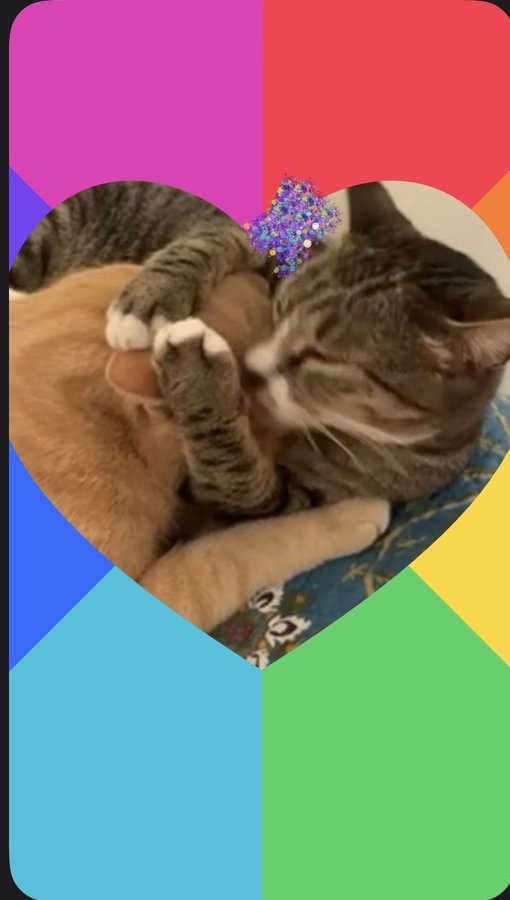
KineoFrame lets you combine live photos and videos, shape the motion and speed, and animate individual frames with drawing tools, effects, text, stamps, stickers, and cutouts.
Designed for iPhone
How it works.
Four focused spaces keep the workflow clear from the first clip to the final export.
Import clips
Choose Live Photos and videos, trim supported clips, remove what you don't need, and drag everything into your preferred movie order.
Choose motion and speed
Move between smooth Movie playback and a more frame-held Stop Motion presentation. Adjust speed, and mute clip audio when applicable.
Edit each frame
Draw, add text and visual elements, or apply creative effects while moving through the project frame by frame.
Export video
Review your finished movie, including its length, clip count, and audio status. Save a draft to return to later, or export the movie to your device and share it through the destinations you choose.
Step backward through your edits.
Carry a supported edit forward without recreating it manually.
Restore the current frame to its unedited state.
The tools.
Draw, apply an effect, add text and stamps, or create a reusable cutout of a subject in your clip — all frame by frame.
Freehand tools for every frame
A full brush library to make your clips standout.
Change the visual language
Brush an effect on, erase it off — same feel as Draw Tool, a completely different result.
Add text in three different font options.
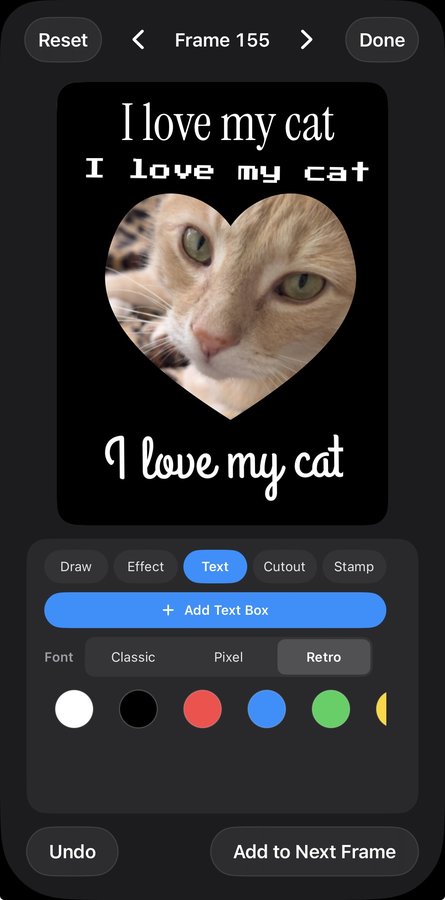
Add, rotate, or enlarge the text. To delete elements, drag them off the frame or click Undo.
Turn a subject into a reusable sticker
Cutout lifts a subject out of the frame into a reusable sticker you can move, resize, tint, and carry to other frames.
Insert shapes in a variety of colors
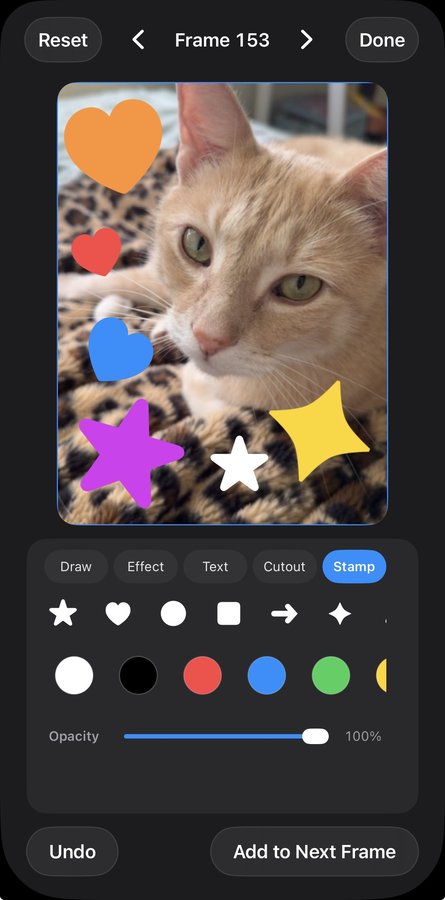
Pick a shape, choose a color and opacity, and place it anywhere on the frame.
Questions before you start?
What media can I use?
Are my photos and videos uploaded?
Do I need a KineoFrame account?
Can I create stop-motion-style movies?
What tools are included?
Is there anything to unlock later?
Turn your live photos and videos into animated movie memories.
Choose the clips. Shape the movement. Edit frame by frame.
Available for compatible iPhone devices.